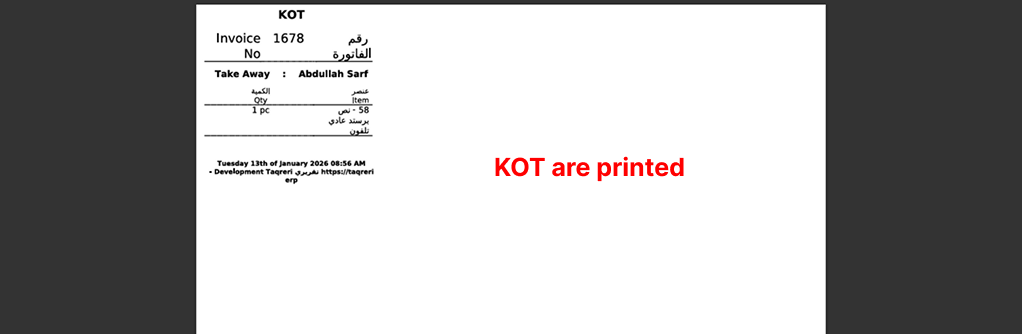
Kitchen & Group printing (in a restaurant/POS context) is a printing method where items are printed based on product groups rather than the full order, so that each kitchen or preparation area only receives the items it is responsible for.
Group printing is the process of:
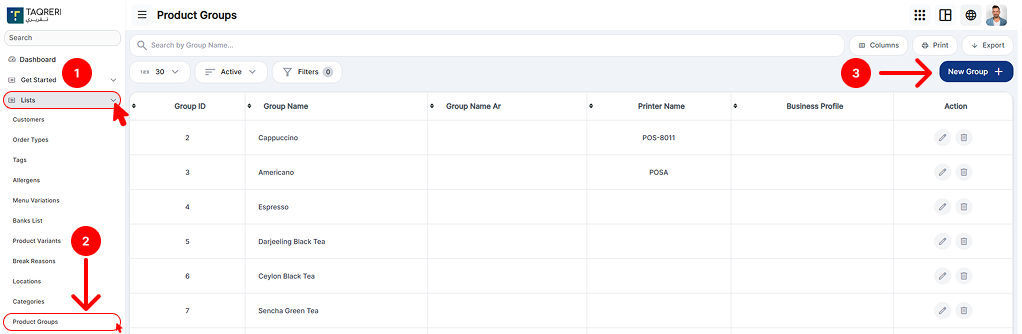
Assigning products to product groups (e.g., Grill, Bar, Dessert)
Assigning specific printers to each product group
Automatically generating separate KOTs (Kitchen Order Tickets) per group when an order or invoice is created
This ensures that each kitchen prints only the relevant items, instead of the entire order.
How it works (step-by-step)
Create product groups
Example:
Grill
Pizza
Bar
Bakery
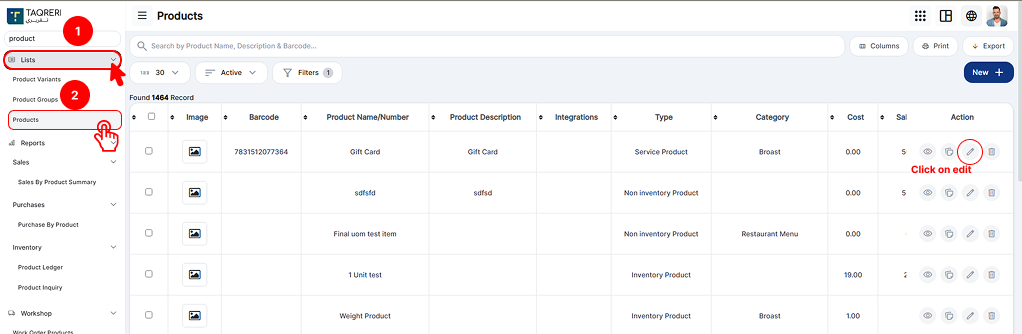
Assign products to groups
Burger → Grill
Pizza Margherita → Pizza
Coke → Bar
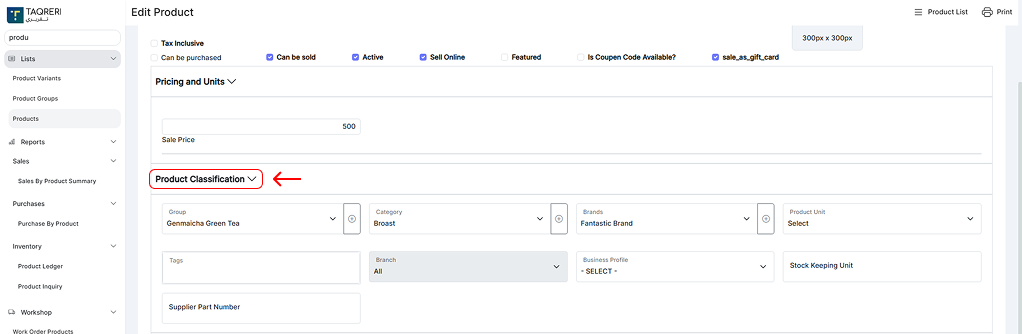
Assign printers to product groups
Grill group → Kitchen Printer 1
Pizza group → Kitchen Printer 2
Bar group → Bar Printer
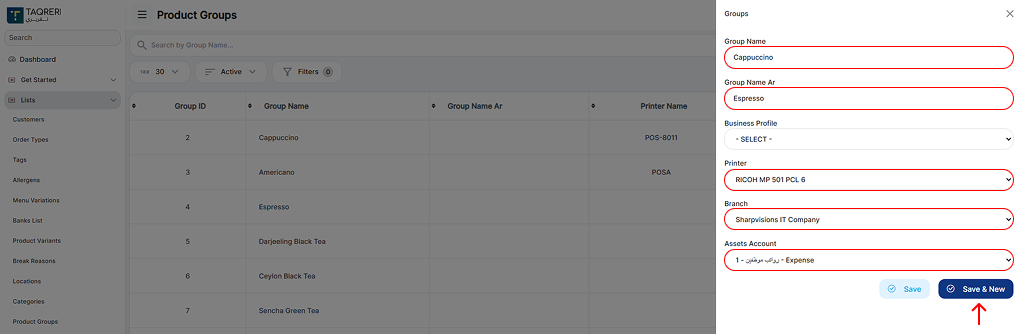
Order/Invoice is generated
The system analyzes the order items
Groups items by their product groups
Sends each group to its assigned printer

KOTs are printed
Grill printer prints Grill items only
Bar printer prints Bar items only
Each printout is a separate KOT
Example
Order contains:
Burger
Pizza
Coke
Printed output:
KOT 1 (Grill Printer): Burger
KOT 2 (Pizza Printer): Pizza
KOT 3 (Bar Printer): Coke
Benefits of group printing
Faster kitchen operations
Reduced confusion in kitchens
No unnecessary items printed at each station
Clear responsibility per kitchen or preparation area